Weigh it. It's on the bill.

Connect a digital weighing scale to Baskit over Bluetooth, USB or network, and the weight goes straight into the bill - no typing, no mistakes.

Loose items, billed in seconds

  1. Add the item to the bill. Scan, search or tap a loose item like rice, sweets, vegetables or dry fruits.
  2. Place it on the scale. Baskit reads the weight from the connected scale automatically.
  3. Price is calculated. Weight × rate per kg is worked out on the bill - no calculator, no typing.
  4. Print or send the bill. Print the bill or send it on WhatsApp, with the exact weight on it.
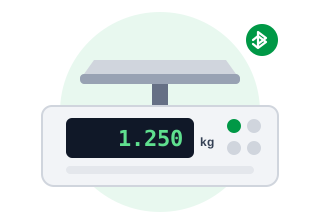
Digital weighing scale showing 1.250 kg
  • BluetoothClassic · BLE · Serial
  • USBPC / POS
  • NetworkLAN / Wi-Fi

No typing weights

The weight comes from the scale, so nobody types it in by hand.

No billing mistakes

Exact weights mean no undercharging, overcharging or arguments at the counter.

Faster checkout

Weigh and bill in one step, even in a rush.

Accurate stock

Stock goes down by the exact weight sold, so loose-item stock stays correct.

Bluetooth, USB or network?

Baskit supports all three. Choose based on the device you bill on and where the scale sits.

USB

Plug the scale into your PC or POS machine with a USB cable. Simple and very reliable.

Supports
USB cable to a PC or POS machine
Best for
A fixed counter with a Windows or Android POS

Network

The scale joins your shop network over LAN or Wi-Fi, so billing devices on the same network can read it.

Supports
LAN cable or Wi-Fi
Best for
Bigger stores, or a scale placed away from the counter
Bluetooth USB Network
Cable to billing device None USB cable LAN cable or Wi-Fi
Works with phone billing Yes Best with PC or POS Yes, on the same network
Distance from counter A few metres Length of the cable Anywhere on your network
Setup Pair and select in Baskit Plug in and select in Baskit Connect to network and select in Baskit
Best for Phones, tablets, small counters Fixed PC / POS counters Large stores, multiple counters

Classic, BLE and serial - all supported

Bluetooth scales talk in different ways. Baskit supports all three common modes, so most Bluetooth scales just work.

Bluetooth Classic

Supported

The standard Bluetooth used by most Bluetooth weighing scales. Pair it in your device's Bluetooth settings, then select it in Baskit.

Bluetooth Low Energy (BLE)

Supported

The newer, low-power Bluetooth used by many modern scales. Baskit connects to it directly - often no pairing in system settings is needed.

Serial mode

Supported

For scales that send weight as a serial data stream over Bluetooth (serial port profile). Common on scales built for POS use.

Not sure which mode your scale uses? Check its manual or box, or contact Baskit support - we'll help you connect it.

What to look for in a scale

Legal metrology stamp

In India, scales used for trade must be verified and stamped under Legal Metrology rules. Buy a stamped scale.

Capacity & accuracy

Pick the right range - for example 30 kg × 5 g for a grocery counter, or a finer scale for sweets and jewellery.

Data output

Make sure the scale can send weight out over Bluetooth, USB or network - not just show it on its display.

Tare function

Removes the weight of the bowl, tray or bag so you charge only for the product.

Battery backup

Keeps the scale working through power cuts.

Stainless steel pan

Easy to clean and lasts longer with wet or oily products.

Our pick for your shop

Billing on your phone

Bluetooth scale

No cables - the weight goes straight to your phone over Bluetooth Classic, BLE or serial mode.

Fixed counter with a PC or POS

USB scale

One cable, always connected, nothing to pair.

Large store or several counters

Network scale

Place the scale where you need it and read it from devices on your network.

Sweets, dry fruits or fruit & vegetables

Bluetooth or USB scale with tare

Weigh in boxes or bags and charge only for the product.

Also printing labels for weighed items?

Pair your scale with a barcode label printer to print price labels for pre-packed items.

Label printer guide →

Questions about weighing scales

Which weighing scales work with Baskit?

Digital scales that can send weight out over Bluetooth, USB or network. For Bluetooth, Baskit supports Bluetooth Classic, BLE and serial mode.

Can I connect a weighing scale to my phone?

Yes. Use a Bluetooth scale - Baskit reads the weight directly on your phone.

Does stock update by weight?

Yes. When you sell a loose item by weight, stock goes down by the exact weight sold.

My scale is not listed - will it work?

Most likely, if it can send weight over Bluetooth, USB or network. Contact our support team and we will help you set it up.

Need help choosing a scale?

Tell us what you sell and how you bill - we'll suggest the right scale and show Baskit reading weight from it.

📅

Book Your Free Demo

Get a personalized walkthrough of Baskit and see how it can simplify your business.

Free personalized demo • Quick setup • Expert guidance