Direct thermal or thermal transfer? Portable or desktop? Which label size? Here is how barcode label printers differ, what they cost, and which one suits your shop.
Most packed products already have a barcode from the manufacturer. Baskit scans them with your phone camera - no labels needed.
You only need a label printer for products without their own barcode: garments, footwear, jewellery, loose and repacked items, or your own brand.
This decides how long your labels last. Most desktop label printers can do both - you just add a ribbon when you need it.
| Direct thermal | Thermal transfer | |
|---|---|---|
| How it prints | Heat darkens special label paper | Heat melts ink from a ribbon onto the label |
| Ribbon needed | No | Yes |
| Label life | Months - fades with heat and sunlight | Years - does not fade |
| Label materials | Direct thermal paper only | Paper, synthetic, polyester, fabric tags |
| Running cost | Lower - labels only | Slightly higher - labels + ribbon |
| Printer price | ₹7,000 – ₹12,000 | ₹9,000 – ₹18,000 |
| Best for | Price labels, shelf labels, shipping labels | Garment tags, jewellery tags, labels that must last |
Portable printers are made for a few labels at a time from your phone. Desktop printers are made for labelling a whole stock delivery at once.
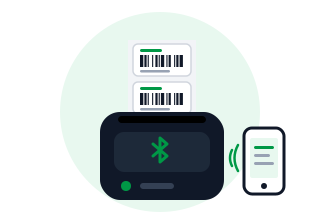
A small battery-powered printer for labels up to about 2 inches wide. Connects to your phone over Bluetooth, so you can label products at the shelf.
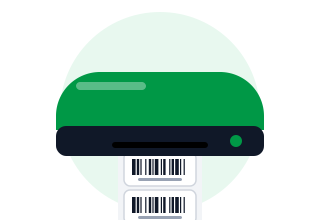
The standard barcode label printer. Prints labels up to 4 inches wide, takes big label rolls, and prints hundreds of labels quickly.
Labels are sold in rolls by size (width × height). Pick the size for what you sell and how much you want on each label - just a barcode, or name, price and MRP too.
| Label size | Used for |
|---|---|
| 38 × 25 mm | Small product and price labels (often 2 labels per row) |
| 50 × 25 mm | Most common barcode label - grocery, pharmacy, general stock |
| 50 × 38 mm | Labels with product name, price, MRP and barcode |
| 75 × 50 mm | Garment and footwear tags with size and MRP |
| 95 × 12 mm | Jewellery "butterfly" tags for rings and chains |
| 100 × 150 mm | Shipping labels for online orders and courier |
This decides which devices can print labels. Baskit works with all three.
Plug into a Windows PC with a cable. Every desktop label printer has USB - the simplest setup for one billing or stock counter.
Also connects to your router, so several PCs, counters and phones can print to the same label printer.
Pairs with your phone or tablet with no cable. Most portable label printers are Bluetooth, and some desktop models offer it too.
203 dpi is right for most barcode labels. Choose 300 dpi for very small labels such as jewellery tags.
Wax for paper labels, wax-resin for garment and synthetic tags, resin for labels that must survive rubbing and water.
Detects where each label starts so prints stay aligned. Look for auto-calibration - it saves wasted labels.
Measured in inches per second (ips). 4 - 6 ips is plenty for labelling new stock in bulk.
Desktop printers take large rolls of 1,000+ labels, so you change rolls less often.
Choose a brand with service centres and label and ribbon suppliers near you.
Wax-resin ribbon on 75 × 50 mm tags - stays readable through handling and trial rooms.
Sharp barcodes on tiny butterfly tags, with resin ribbon so tags don't rub off.
No ribbon to buy. 50 × 25 mm labels for loose and repacked items.
Print labels from your phone at the shelf - no PC needed.
It will most likely work - Baskit supports label printers from TVS, TSC, Zebra, Godex, Argox, Honeywell and more. See the models we have tested, or download drivers.
Tell us what you sell and we'll suggest the right label printer and label size - and show you Baskit printing them.
Get a personalized walkthrough of Baskit and see how it can simplify your business.
Free personalized demo • Quick setup • Expert guidance