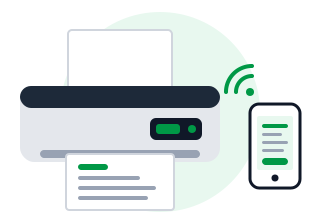
A wireless printer prints full-page GST invoices straight from Baskit on your phone - no PC needed. Here is how ink tank, cartridge and laser printers compare, and what to look for.
Use the printer's screen or its free app (HP Smart, Epson Smart Panel, Canon PRINT, Brother Mobile Connect) - a one-time setup.
Your phone finds the printer automatically. No driver or cable needed.
Choose your Wi-Fi printer and print a full-page A4 invoice - straight from your phone.
Works with Android and iPhone over your shop's Wi-Fi.
All three print A4 invoices. The real difference is the cost per page and how much you print. Prices below are for Wi-Fi models.
Refillable ink tanks instead of cartridges. Costs more to buy, but one set of ink bottles prints thousands of pages - in black and in colour.
The cheapest printer to buy, but cartridges are expensive and run out quickly. Ink can dry if the printer sits unused for weeks.
Prints fast, sharp black text that never smudges. Toner does not dry out, so it is ready even after weeks without use.
| Ink tank | Cartridge inkjet | Laser | |
|---|---|---|---|
| Printer price | ₹11,000 – ₹18,000 | ₹5,000 – ₹8,000 | ₹11,000 – ₹20,000 |
| Cost per page | Under ₹0.50 | ₹3 – ₹6 | ₹1 – ₹2 |
| Colour | Yes | Yes | Black only (colour lasers cost more) |
| Speed | Moderate | Slow | Fast |
| If unused for weeks | Print a test page now and then | Ink may dry | No problem |
| Best for | Daily invoices, low running cost | Occasional printing | Large volumes, crisp text |
To print from your phone, the printer must have Wi-Fi or Wi-Fi Direct. Many printers also have USB or LAN, so a PC can print to them too.
The printer joins your shop's Wi-Fi. Any phone, tablet or PC on the same Wi-Fi can print to it - no cables.
The printer makes its own small Wi-Fi network, so your phone can connect and print even without a router.
Connects to your router with a cable. Very reliable, and every device on the network can print.
Connects to one PC with a cable. Cheapest, but you cannot print from your phone.
A USB-only printer cannot print from your phone. Look for "Wi-Fi" or "wireless" in the model name - for example models ending in "w" or "dw".
Look for "Mopria" (Android) and "AirPrint" (iPhone) - they mean the printer works with your phone's built-in printing.
Prints on both sides of the paper automatically - halves your paper use for long invoices and reports.
A built-in scanner lets you scan and copy purchase bills, ID proofs and documents.
Measured in pages per minute (ppm). Lasers usually print faster than inkjets.
Check the recommended pages per month. Choose a printer rated well above what you print.
Pick a brand with service centres and genuine ink or toner easily available near you.
Most walk-in customers are happy with a receipt or a WhatsApp bill. An A4 printer is for full-page tax invoices for business customers.
| Receipt printer | A4 printer | |
|---|---|---|
| Paper | 2 or 3 inch thermal roll | A4 sheet |
| Looks like | Shop receipt | Full GST tax invoice |
| Ink | None - prints with heat | Ink or toner |
| Speed per bill | Instant | A few seconds |
| Best for | Walk-in retail customers | Business customers, wholesale, large orders |
Need a receipt printer instead? See the receipt printer guide.
Print A4 invoices straight from your phone, at the lowest cost per page.
Fast, crisp invoices in large numbers, ready even after weeks of no use.
Lowest price to buy. Fine if you print only a few pages a week.
Thermal receipts for walk-ins, A4 tax invoices when a business asks.
Baskit has been tested with inkjet and laser printers over USB, Wi-Fi and network. If yours has Wi-Fi, you can print from your phone.
Tell us how many invoices you print and we'll suggest the right printer - and show you Baskit printing from a phone.
Get a personalized walkthrough of Baskit and see how it can simplify your business.
Free personalized demo • Quick setup • Expert guidance